Technology is part of daily life, but visually, it can be difficult:
Televisions
Speakers
Routers
Streaming devices
Gaming systems
Remote controls
Chargers
Cables
All of these need to function. Very few of them improve a room simply by being visible.
That is where custom media cabinetry becomes useful.
The goal is not necessarily to hide every piece of technology. It is to control how much of it becomes part of the room.
A television may remain visible. Speakers may need to stay exposed. Certain devices require ventilation or easy access.
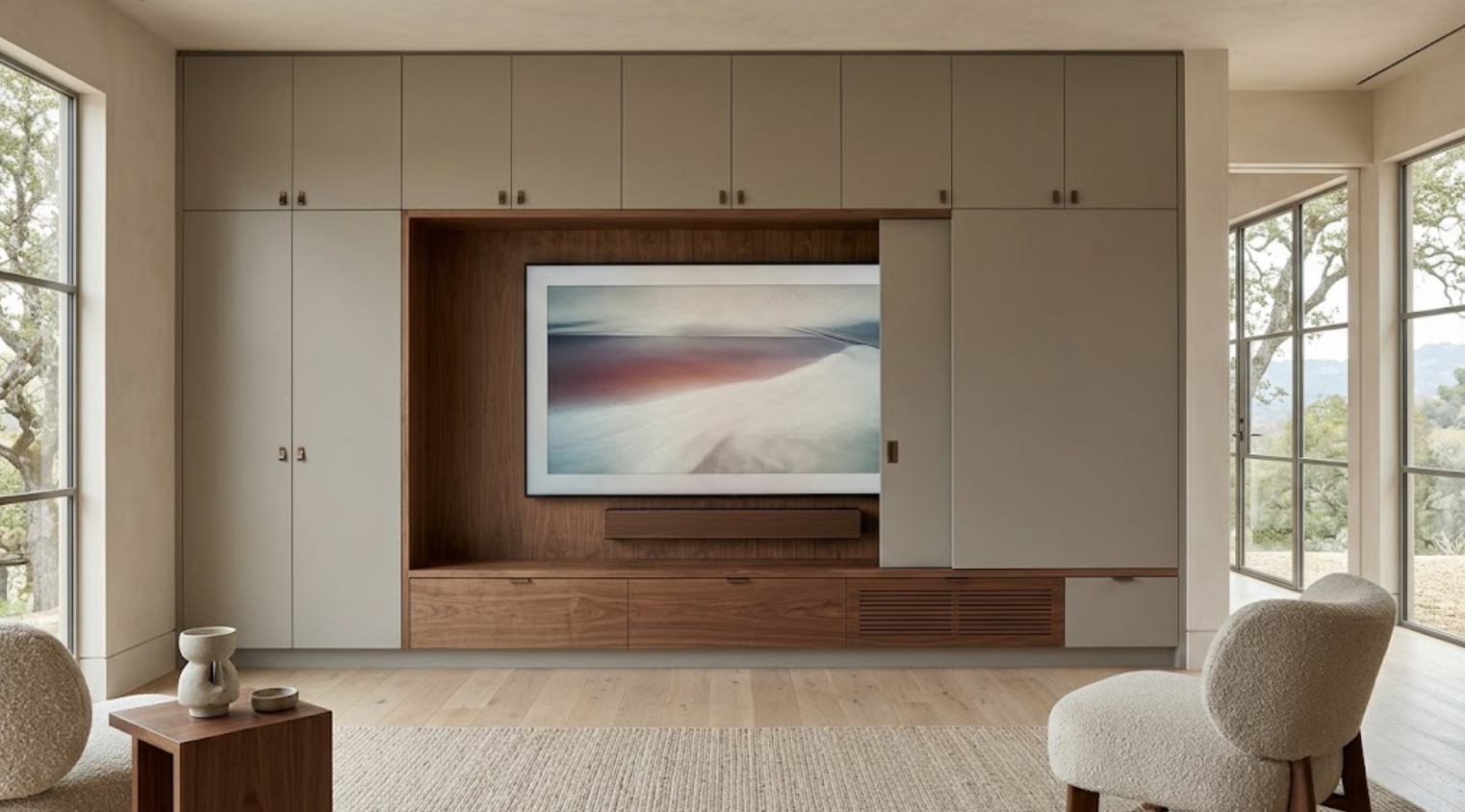
But the cabinetry can reduce visual noise around them. It can conceal equipment, organize wiring, integrate storage, create proportion around the screen, and coordinate lighting.
It can make the entire media wall feel like part of the architecture rather than a collection of electronics.
For custom homes and major remodels, the strongest media cabinetry starts by designing around the technology early, not trying to disguise it after everything else is finished.
What Makes Media Cabinetry Feel Integrated?
It begins with proportion.
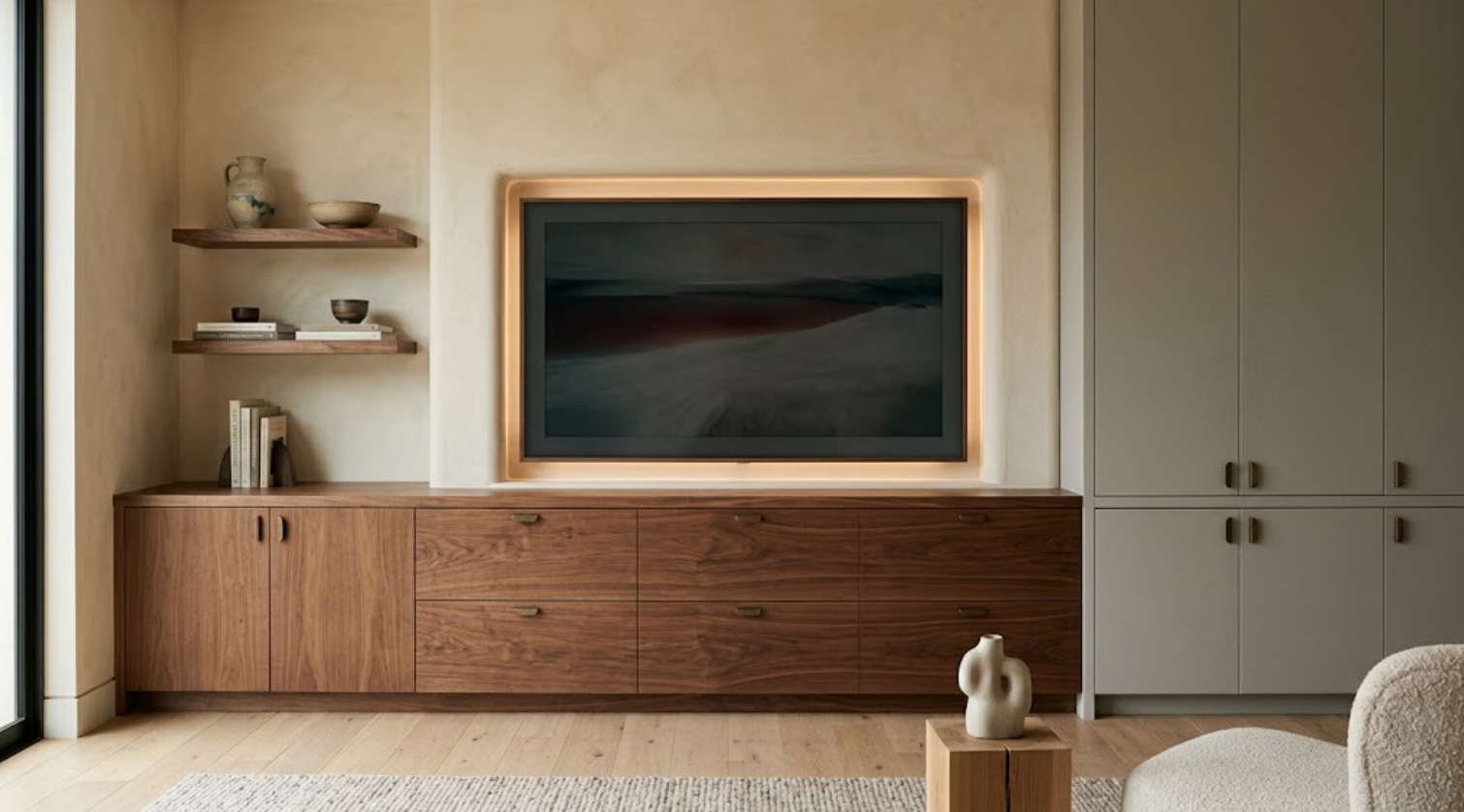
The television should not look like a black rectangle floating randomly on a wall. The cabinetry around it should create structure.
That may mean:
A recessed media niche
Broad lower cabinets
Tall storage at one side
Open shelving used selectively
A stone or plaster surround
Natural wood panels
Integrated lighting
The composition should still work when the television is turned off.
That is one of the best tests.
If the entire wall depends on the screen for visual interest, the cabinetry is probably not doing enough.
Should the Television Be Hidden?
Sometimes, but it does not need to be.
A television can be handled in several ways:
Left visible within a well-proportioned niche
Concealed behind sliding or pocket doors
Hidden behind artwork
Integrated into dark cabinetry so it visually recedes
Placed inside a cabinet that closes completely
The right solution depends on how often the television is used.
If it is watched every day, a complicated concealment system may become inconvenient. If the room is more formal and the television is rarely used, concealment may make sense.
The design should support the actual lifestyle, not create a feature that looks impressive but becomes annoying to use.
How Should the Television Be Sized Within the Cabinetry?
Around viewing distance and room scale, not around the largest screen available.
An oversized television can dominate even a beautifully designed wall. A smaller screen inside an overly large cabinet niche can look equally awkward.
The television dimensions should be known early.
So should:
Mounting method
Viewing height
Speaker locations
Equipment
Future replacement allowances
The cabinetry can then be proportioned around the actual screen rather than an estimate.
That improves the relationship between the opening, surrounding panels, lower cabinets, and ceiling.
How High Should the Television Be?
Comfort should come first.
A television placed too high may look neat in elevation but become uncomfortable to watch.
The center of the screen should relate to seating height and viewing distance.
Fireplaces often complicate this. Placing a television above a tall fireplace may push the screen higher than ideal.
In some rooms, separating the television and fireplace can create a better viewing experience. In others, the architecture may still support a combined composition.
The cabinetry should help organize the wall without sacrificing basic ergonomics.
Where Should the Electronics Go?
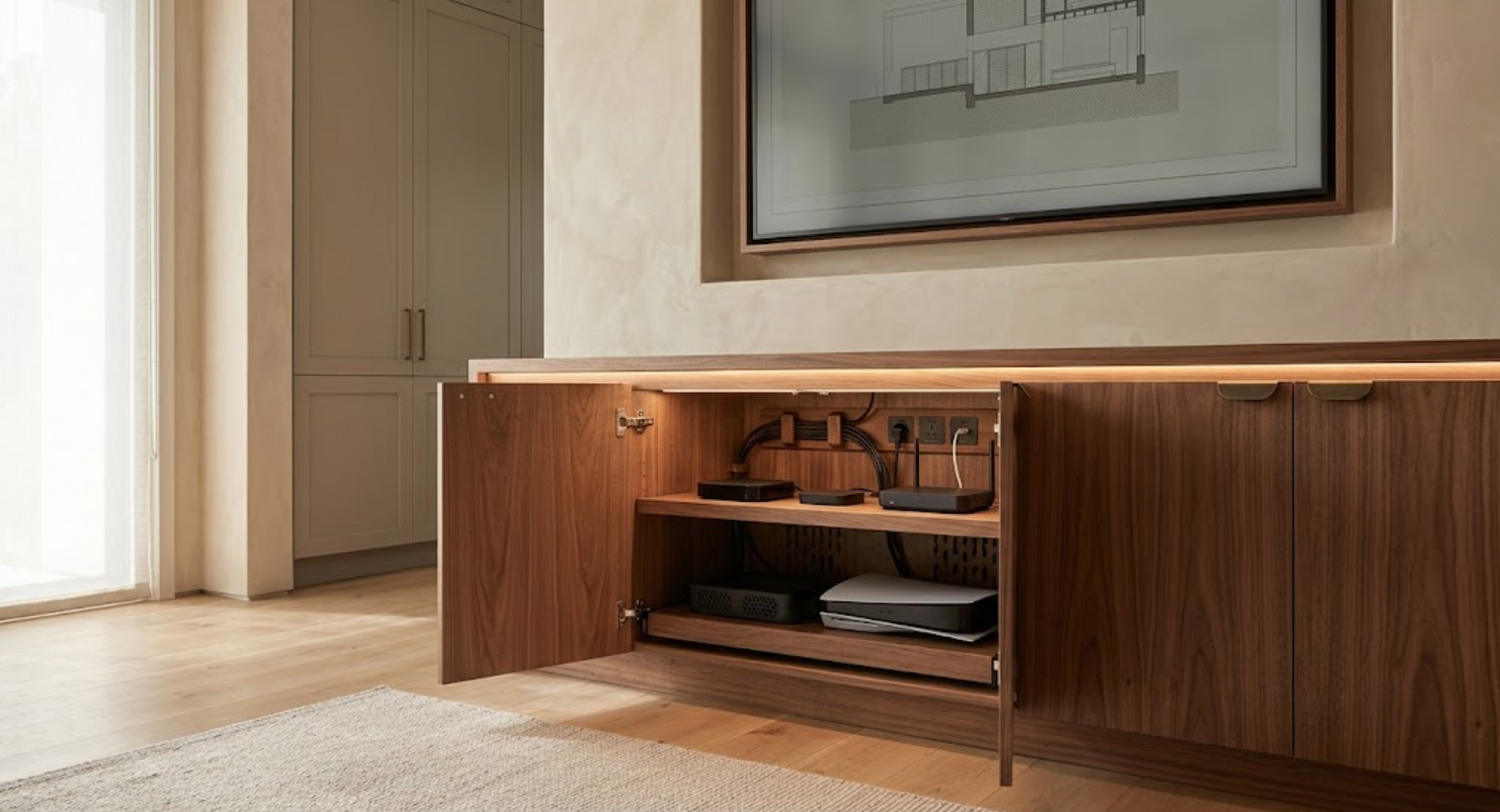
Usually behind closed doors:
Streaming devices
Gaming systems
Routers
Cable boxes
Control systems
Power supplies
These do not need to become part of the visible room.
Custom cabinetry can create dedicated equipment zones, but those cabinets need to account for:
Ventilation
Remote or signal access
Power
Data
Cable routing
Serviceability
Equipment depth
It is not enough to place electronics inside a cabinet and close the door.
The cabinet has to be designed for the equipment.
How Important Is Ventilation?
Very.
Electronics generate heat, especially:
Gaming systems
Receivers
Amplifiers
Network equipment
Certain streaming devices
Closed cabinetry can trap that heat.
Ventilation should be designed into the cabinet rather than improvised later.
That might include:
Ventilated shelves
Discreet grille openings
Air gaps
Hidden ventilation at the toe kick
Open backs where appropriate
Mechanical ventilation for more demanding equipment
The solution depends on the amount of equipment.
A simple media cabinet does not need to look technical, but it still needs to handle heat correctly.
How Should Cables Be Managed?
Before the cabinetry is fabricated.
Cable routing should be deliberate:
Power
HDMI
Data
Speaker wire
Control wire
Charging
Any future conduit
These should have clear paths.
A removable panel can provide service access. A recessed cavity can hide excess cable. Integrated grommets can move wires between compartments.
The goal is not just to hide cables from view. It is to make them accessible when equipment changes.
A wall can look perfect on installation day and become frustrating later if everything is sealed behind finished panels.
Should Speakers Be Hidden?
Sometimes.
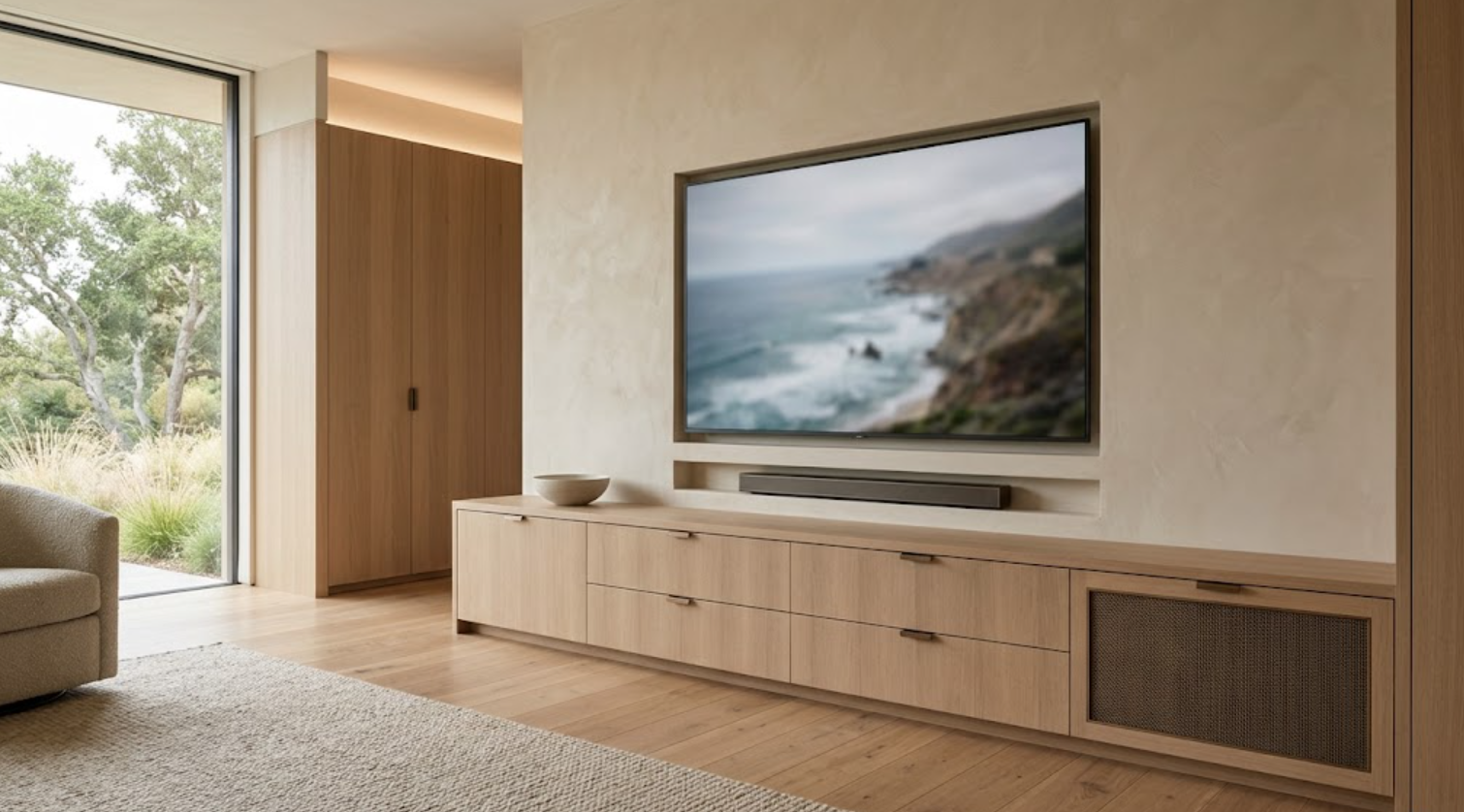
Built-in speakers can be integrated into walls or ceilings. Soundbars can sit inside or below a television niche. Freestanding speakers may need to remain visible for performance reasons.
The decision should involve both the design team and the audio-system requirements.
If speakers are concealed behind cabinet doors, the material may interfere with sound. If they sit behind specialized acoustic fabric or perforated panels, that needs to be designed intentionally.
The cabinetry should not compromise performance simply to make the room look cleaner.
Can a Soundbar Be Integrated Into the Cabinetry?
Yes, often successfully.
It can sit:
Below the television
Inside a recessed opening
Behind an acoustically appropriate panel
On a dedicated shelf
The dimensions should be based on the specific model.
Ventilation and signal performance should still be considered.
If the soundbar is likely to be replaced later, some dimensional flexibility can help.
Should Media Cabinetry Include Open Shelving?
Only when it serves the room.
Open shelving can balance a large television, but it can also create more visual competition.
A few shelves may work for:
Books
Objects
Art
Small personal pieces
But filling both sides of a television with shelves can make the wall feel busy.
Closed storage often works better for media equipment.
Open shelving should create architecture, not become a place to accumulate decor around the screen.
Can a Television Wall Include Books?
Yes, but the television and library functions need hierarchy.
A full library with a television inserted into the middle can work. A media wall with a few books can also work.
Problems occur when neither function is clearly dominant.
If the room is primarily a library, the screen may be smaller or more concealed. If the room is primarily for media, books can play a supporting role.
The cabinetry should make that relationship clear.
Should Media Cabinetry Include Drawers?
Usually.
Drawers are highly useful for:
Remote controls
Controllers
Headphones
Charging cables
Games
Discs
Small electronics
Instructions
Batteries
They also keep the main cabinet fronts visually calm.
Deep drawers can handle larger equipment. Shallow drawers can organize small accessories.
Custom drawer interiors can make the media wall easier to live with without making the exterior look overly functional.
What About Gaming Equipment?
Plan for it specifically.
Gaming systems need:
Ventilation
Power
Controllers
Headsets
Cable management
Access
Storage for physical games when relevant
The console itself may fit inside cabinetry. Controllers can sit in a charging drawer. Headsets can have dedicated storage.
If gaming is an important use of the room, the cabinetry should support it properly.
Trying to hide everything inside an unventilated cabinet is not enough.
How Should Lighting Be Designed Around Media Cabinetry?
Carefully.
Screen glare is the main concern. Bright downlights directly in front of the television can be distracting.
Integrated shelf lighting can create atmosphere. Low-level lighting behind or around cabinetry can reduce contrast between a bright screen and a dark room.
A small amount of lighting inside display niches can add depth.
The room still needs general ambient lighting.
The goal is to layer light without reflecting it into the screen.
Can Backlighting Behind the Television Work?
Yes, when it is subtle.
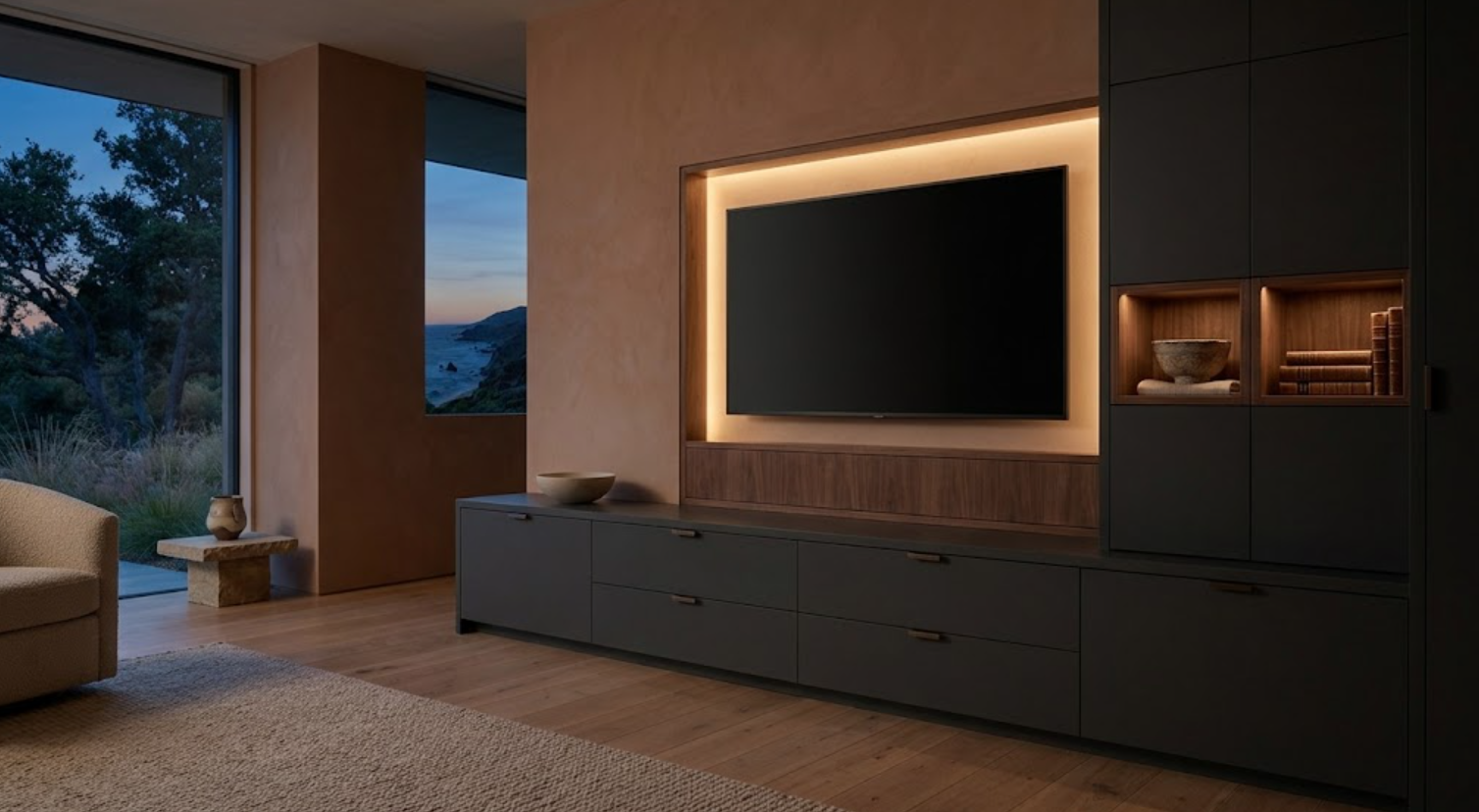
A soft wash of light behind the television can reduce the visual contrast between the screen and wall. It can also make the television feel more integrated into a recessed niche.
But highly colored or dramatic LED effects can quickly shift the room away from a refined residential aesthetic.
Warm, restrained lighting is usually easier to integrate with natural wood, plaster, and stone.
What Materials Work Well for Media Cabinetry?
Materials should help calm the technology.
Walnut can provide depth and warmth around a dark television. Rift-sawn white oak can create a lighter, contemporary wall. Painted cabinetry can visually recede.
Plaster can soften large areas around the screen. Stone can provide a stronger architectural moment. Metal can be used selectively.
The screen itself is already visually dominant. That usually argues for fewer surrounding materials.
A media wall with several woods, decorative stone, glass, metal, and multiple shelf styles can quickly become too busy.
Restraint is useful.
Can Dark Cabinetry Help a Television Disappear?
Yes.
A dark painted finish or deeper wood can reduce contrast around a black screen. That can make the television less visually dominant when it is off.
But the entire room does not need to become dark.
A dark media wall can sit against:
Warm plaster
Pale flooring
Lighter furnishings
Natural daylight
That contrast can create a sophisticated focal point without making the space feel heavy.
Should the Media Wall Match the Kitchen?
Not exactly, but it can relate.
If the kitchen uses walnut, the media wall may repeat walnut selectively. If the home uses bronze hardware, that can continue.
If the cabinetry language throughout the residence uses narrow reveals and broad slab fronts, those proportions can carry into the media room.
The function should still change the composition.
Media cabinetry may use:
Fewer handles
Broader panels
Long horizontal drawers
More concealed equipment
The connection comes through design language, not duplication.
Can Stone Be Used Around a Television?
Yes, but it needs to be controlled.
A honed stone panel can create a strong backdrop. Stone can also frame a niche, continue from a fireplace, or become a horizontal shelf.
The screen and stone should not compete.
If the stone has dramatic movement, surrounding cabinetry may need to become quieter.
A large television already creates a strong dark rectangle. Adding an equally aggressive stone pattern around it can make the wall visually exhausting.
What About a Fireplace and Television Together?
They can work together, but they need to be designed as one composition.
Consider:
Heat
Clearances
Viewing height
Fireplace opening
Mantel condition
Television dimensions
Cabinetry
All need to be coordinated.
A television above the fireplace is not always the best solution. A side-by-side composition can sometimes produce a better viewing height.
In a larger room, the fireplace can occupy one bay and the television another.
The cabinetry can connect them without forcing them into the same vertical stack.
How Can Media Cabinetry Work in a Smaller Room?
Simplify.
One long lower cabinet may be enough, along with:
A recessed television
One tall cabinet
Very limited open shelving
Broad fronts can make the room feel calmer.
Cabinetry should not cover every wall. In a smaller room, visual breathing room is valuable.
Custom cabinetry can also use shallow zones efficiently for media equipment and storage.
The goal is to improve the room, not prove how much cabinetry can fit.
Can Media Cabinetry Work in a Large Living Room?
Yes.
In a large space, cabinetry can help give the television appropriate scale.
The media wall can become one architectural element within the room through:
Full-height cabinetry
A fireplace
Large plaster surfaces
Stone
Tall shelving
These can help prevent a screen from looking undersized or isolated on a very large wall.
But even in a large room, the wall should not become visually overloaded.
Scale should increase, not complexity.
Can the Media Cabinetry Hide Completely?
In some rooms, yes.
Pocket doors can close across the television. Sliding panels can conceal it. Large hinged doors can work for smaller screens. Art panels can cover the display.
These mechanisms require:
Space
Hardware
Precision
Clearance
Service access
They can be very effective when the room has a more formal function.
But they should not be added only because concealment sounds luxurious. The mechanism needs to remain easy enough that people actually use it.
How Should Remote Controls and Accessories Be Stored?
Close enough to use, but not on the coffee table permanently.
A shallow media drawer can organize:
Remotes
Controllers
Charging cables
Headphones
Batteries
Adapters
Small devices
Integrated charging can keep equipment ready. Drawer dividers can prevent small electronics from becoming tangled.
This is a simple cabinetry decision, but it can make the room feel much calmer day to day.
Should the Cabinetry Be Future-Proofed?
As much as practical.
Technology changes faster than cabinetry. A screen may eventually be replaced. A gaming system changes. Streaming equipment changes. Networking needs evolve.
The cabinetry should allow some flexibility.
That can mean:
Slightly larger equipment zones
Adjustable shelves
Accessible cable routes
Conduit
Removable panels
Ventilation that is not tied to one device
Enough tolerance around the television opening
The cabinetry does not need to anticipate every future product.
It should avoid being so specific that one equipment change requires rebuilding the wall.
How Does Media Cabinetry Fit Into Whole-Home Cabinetry Planning?
Very naturally.
The media room can share materials and details with other spaces while still responding to technology.
Walnut used in the kitchen may return here. Painted cabinetry can continue from the home office. Bronze hardware may connect several rooms.
Reveal dimensions and cabinet construction can remain consistent.
That creates continuity.
But media cabinetry may simplify those elements even further because visual quiet is important around the screen.
What Should Be Planned Before Construction?
The technology:
Television size
Viewing location
Audio
Equipment
Gaming
Internet and data
Power
Cable routes
Ventilation
Lighting
Fireplace relationships
Cabinet dimensions
Any concealment mechanism
These decisions can affect framing and electrical work.
If the cabinetry is developed after all of those systems are fixed, the design may become a series of compromises.
The finish can come later. The technical framework should not.
When Should a Cabinetry Partner Become Involved?
Before electrical, low-voltage, and wall conditions are finalized.
For new construction, media cabinetry can be developed alongside the architectural and technology plans.
For a major remodel, planning should happen before walls are closed.
A cabinetry partner can help coordinate:
Television dimensions
Equipment storage
Cable pathways
Ventilation
Power
Lighting
Speaker locations
Cabinet depths
Service access
That coordination is what allows the finished wall to look simple.
The simplicity usually comes from planning more, not less.
Custom Media Cabinetry: How to Integrate Technology Beautifully
Beautiful media cabinetry does not pretend technology is not there. It gives it structure.
The television has a deliberate place. Equipment disappears. Cables remain accessible but hidden. Audio is integrated. Storage supports real use.
Lighting avoids glare. Materials calm the screen. The cabinetry still looks intentional when everything is turned off.
That is the goal.
Technology should work immediately when it is needed, then visually recede when it is not.
Custom cabinetry can make both possible.
Explore Custom Media Cabinetry With Atelier Design Society
Atelier Design Society works with homeowners, architects, interior designers, builders, and other design professionals planning premium cabinetry for media and living rooms, home offices, libraries, kitchens, wardrobes, home bars, bathrooms, and other whole-home applications throughout Menlo Park and the surrounding Bay Area.
At the Atelier Design Society showroom in Menlo Park, project teams can compare cabinetry construction, natural woods, painted finishes, hardware, interior storage, and full-scale applications while exploring how technology can be incorporated without allowing it to dominate the room.
For a media cabinetry project, bring architectural plans when available.
It is also useful to identify television dimensions, audio equipment, gaming systems, networking equipment, storage needs, and whether any technology should be concealed.
Those technical requirements should influence the cabinetry from the beginning.